Research Universe
Linked nodes organise themes such as ocean processes, ice dynamics, solid Earth, observations, paleoclimate and future projections.
A personal research-communication project exploring how a long Antarctic ice-sheet review can become a navigable system of linked concepts, evidence and interactive views. The latest macOS edition is a native SwiftUI and AppKit research workspace.

A long review can hold a coherent account of a scientific system while still being hard to keep in view as a whole. The source for this project moves between past climates, present observations, ice and ocean processes, solid-Earth feedbacks and future uncertainty.
I wanted to move between those relationships without losing the paper beneath them. Building an interface became a way to test whether the material could remain connected, searchable and legible without pretending that the interface replaced the reading.
Could a review become a place to move through, while keeping its evidence and uncertainty in view?
Noble et al. · 2020 · 89 pages
The project starts from The Sensitivity of the Antarctic Ice Sheet to a Changing Climate: Past, Present, and Future, published in Reviews of Geophysics. The paper remains bundled with the local application and searchable from the interface.
Alongside it, structured data records six broad research areas, 25 topics and the questions, regions and keywords that connect them. Those structures are not a second scientific source; they are an interpretive layer for navigating the review.
T. L. Noble et al. (2020)Building did not follow the reading. It became part of the reading.
Keep the 89-page review available as evidence, rather than separating the interface from the material it interprets.
Organise research areas, topics, questions, regions and keyword relationships into data the interface can move through.
Use linked nodes, evidence cards, conceptual observation layers and controlled scenarios for different kinds of question.
Let the structure change through a Streamlit prototype, Qt desktop editions and a native SwiftUI macOS workspace.
Research Universe in the Web Demo, alongside earlier interface explorations.
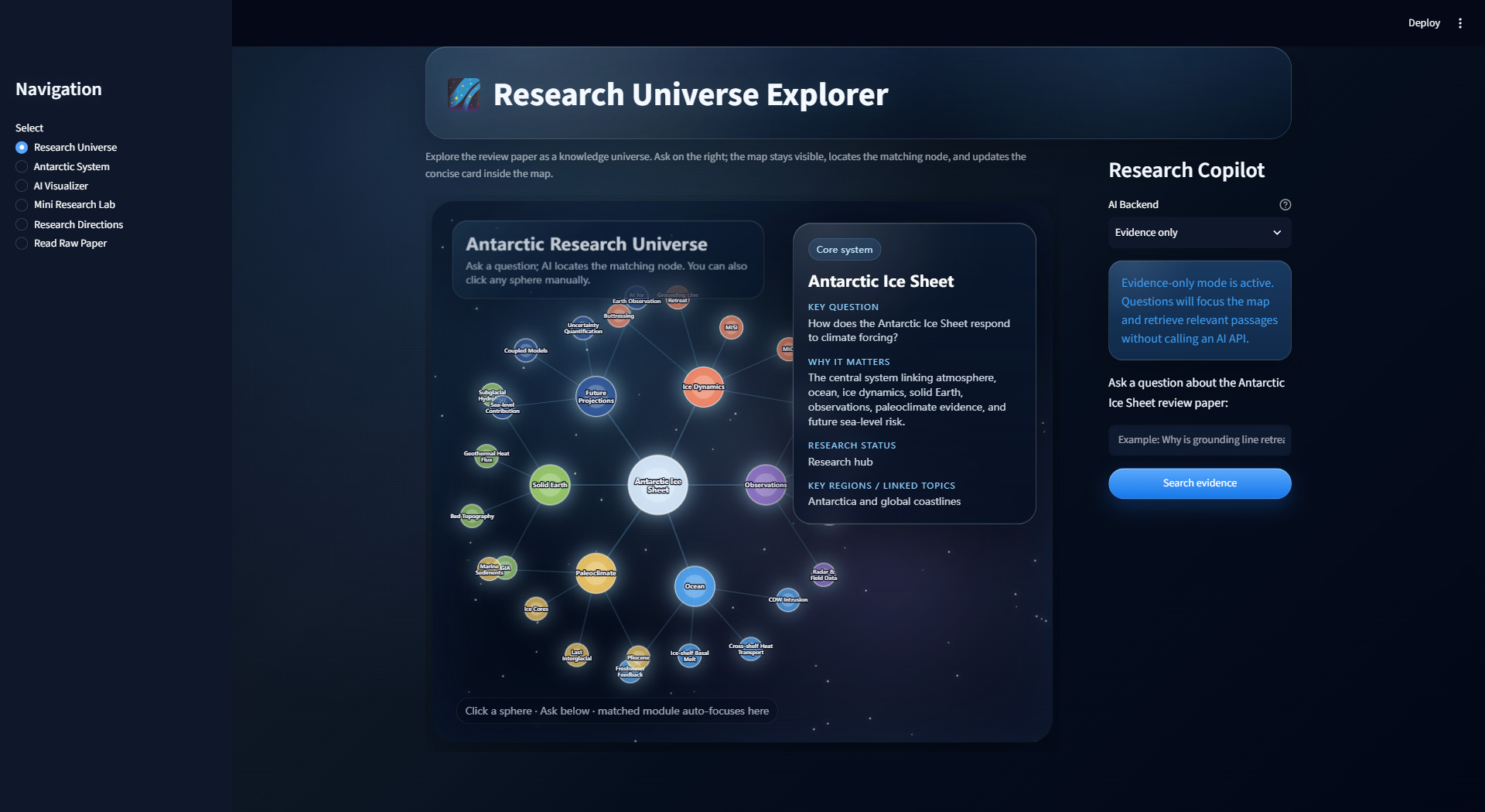
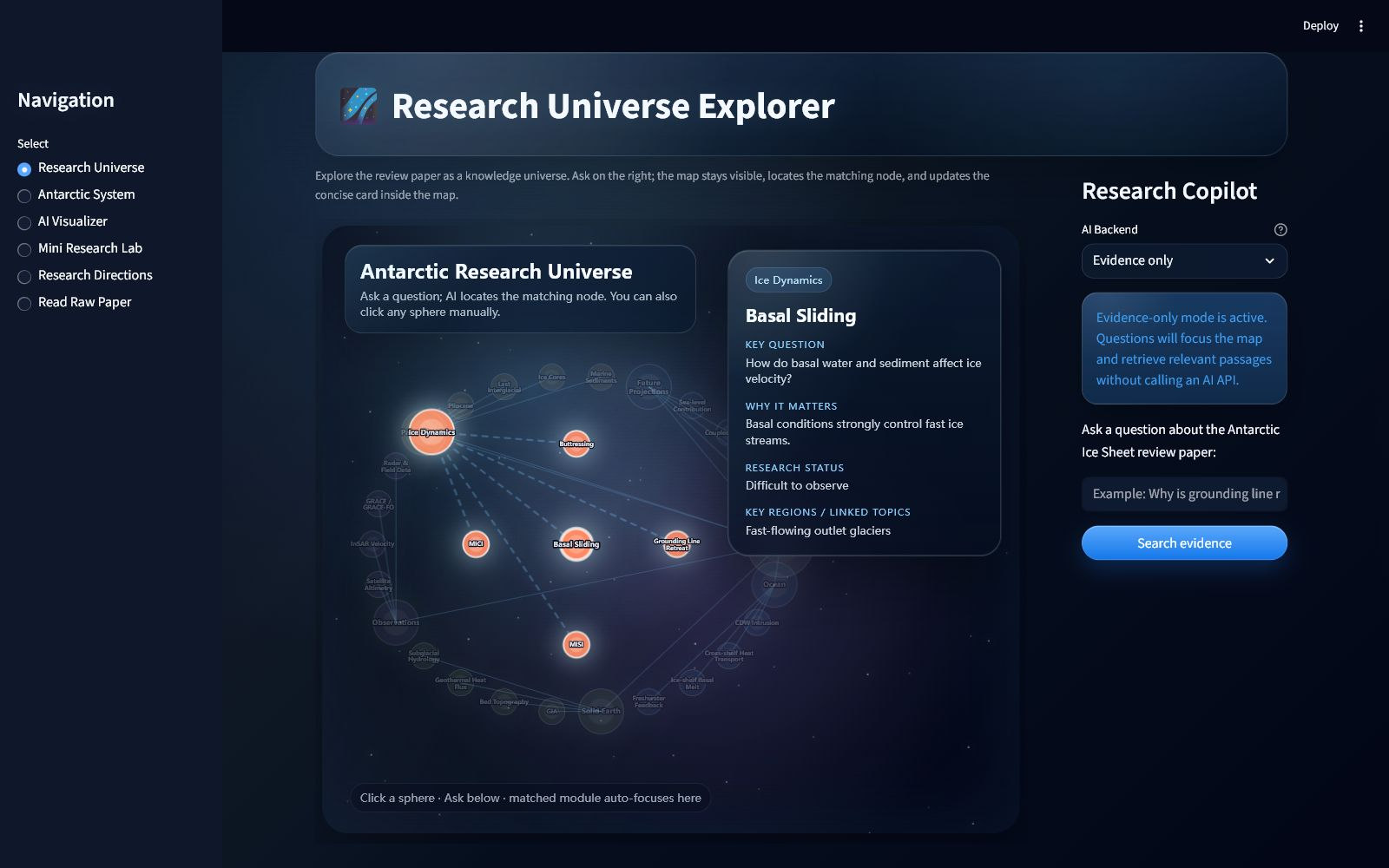
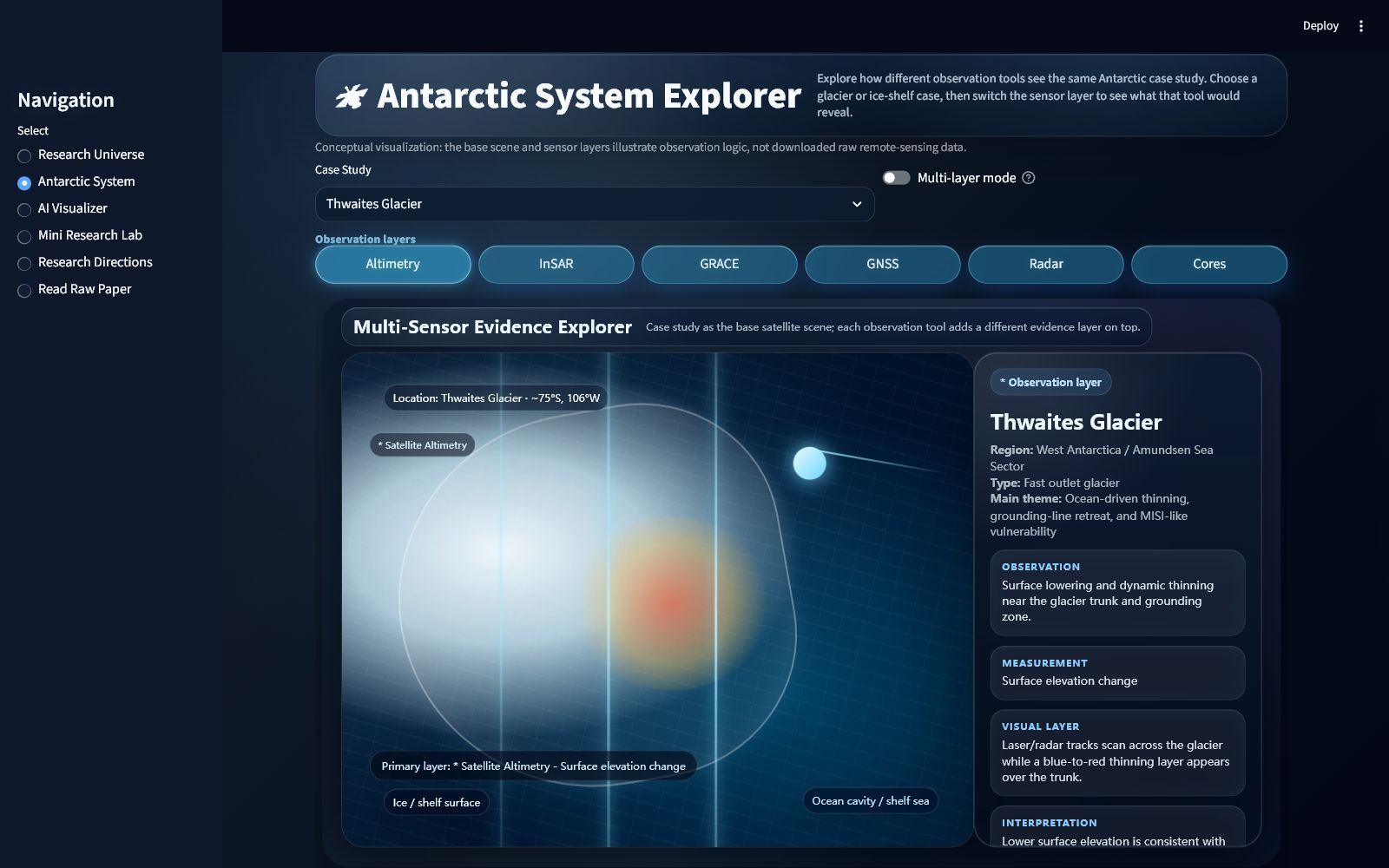
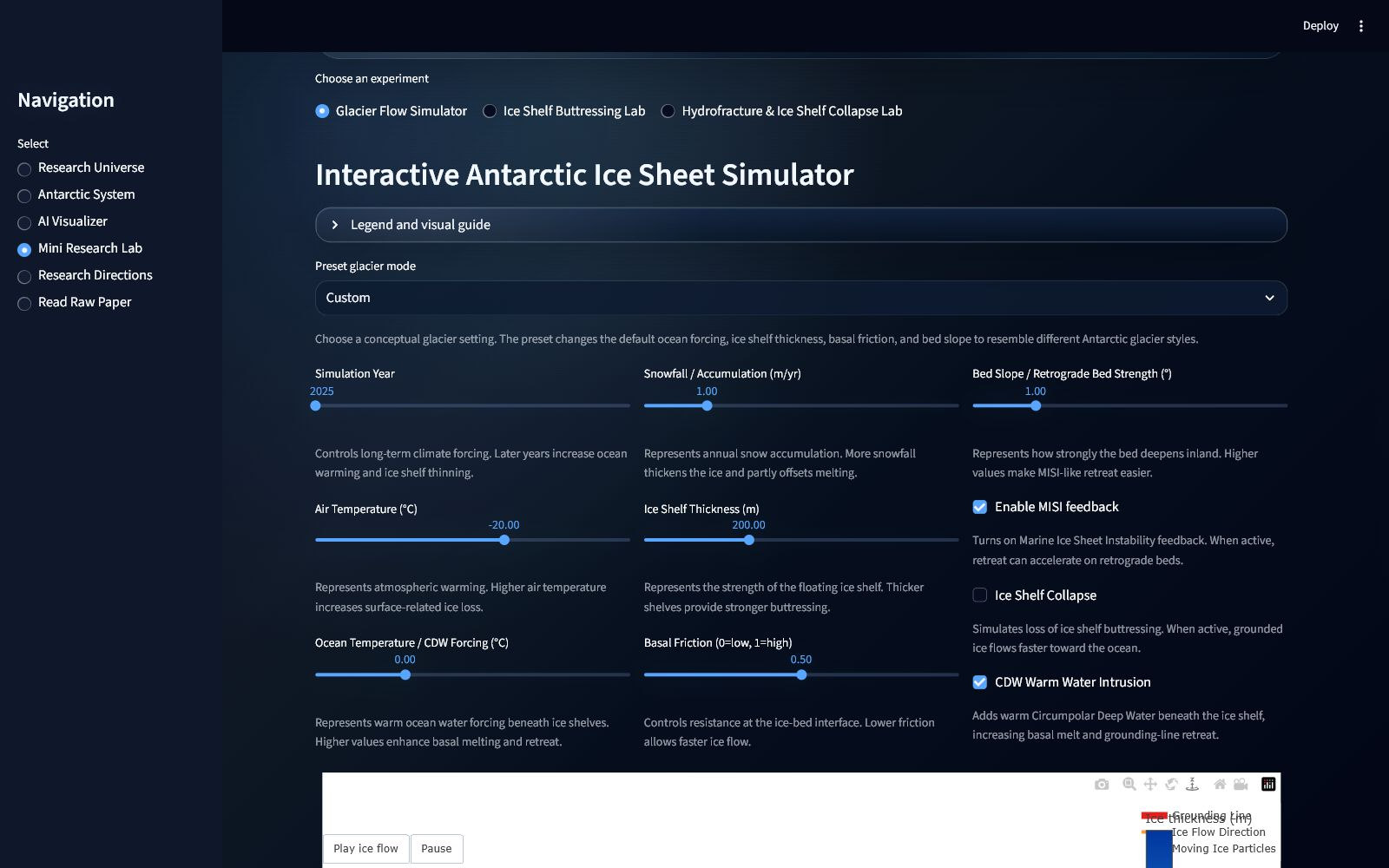
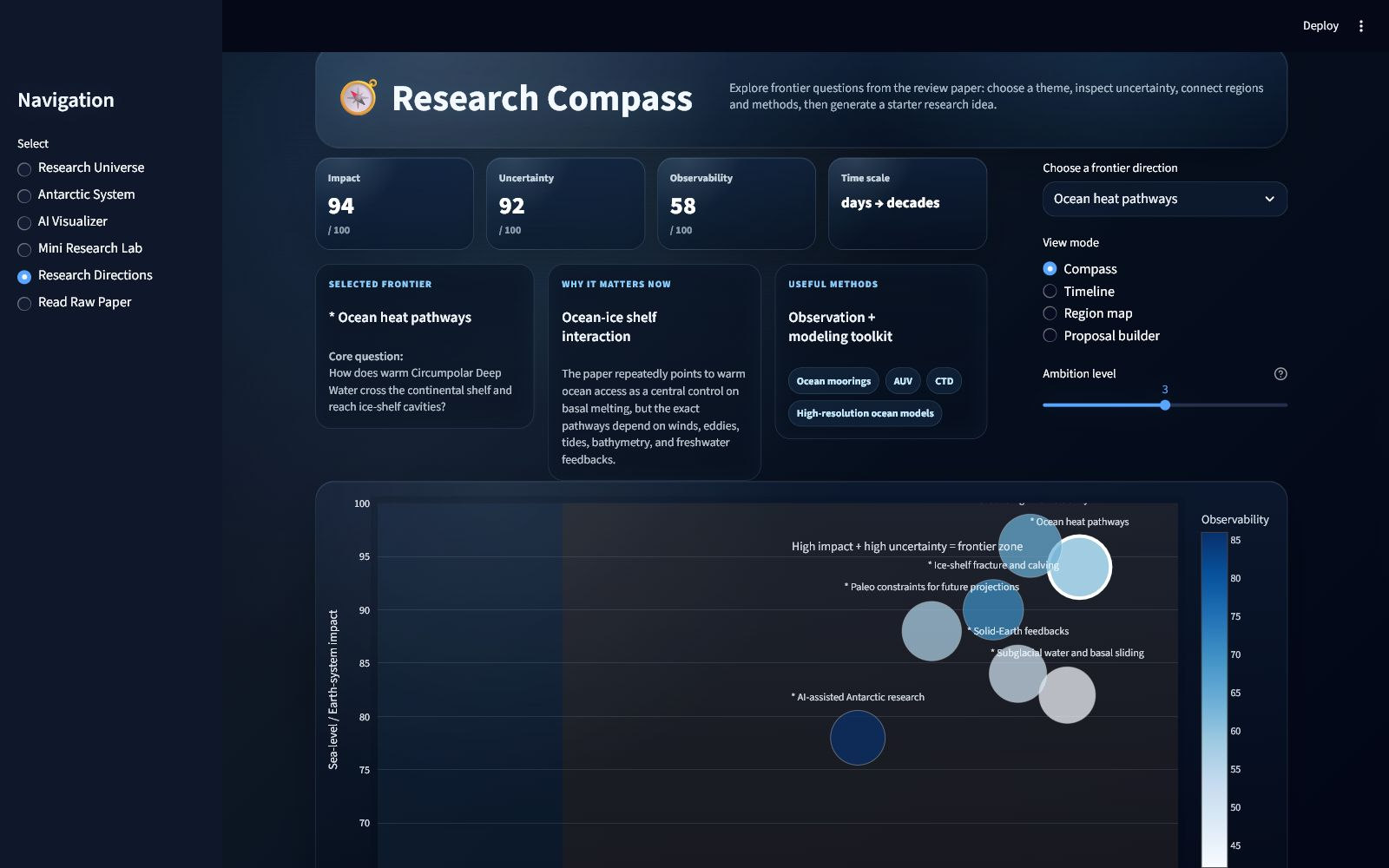
The tools follow the shape of the problem; they are not the story by themselves.
Six research areas, 25 topics and the included 89-page review connect the project editions. The paper remains the evidence baseline.
The v4.1.0 Mac workspace brings native navigation, research notes, topic bookmarks, multiple windows and an integrated PDF reader to Apple Silicon.
The Windows v3.1.2 installer and previous Qt macOS edition remain available. Streamlit is the separately hosted legacy prototype, preserved in the project history.
Evidence-only retrieval stays local. Optional Ollama, DeepSeek, OpenAI and OrcaRouter support is available; the native client requires consent before online requests.
A Streamlit research environment established the six views and the idea of moving through a review rather than reading it only in sequence.
The prototype gained visual refinement, Windows packaging, local AI options and a more deliberate application structure.
The interface was rebuilt in PySide6 while preserving the earlier product model and interaction intent.
English and Chinese were consolidated into one application, with in-app language switching and broader localisation coverage.
The Qt edition gained Apple Silicon packaging and a drag-to-Applications installer, while retaining the published Windows build.
SwiftUI and AppKit bring paper-grounded notes, optional consent-gated AI, recent topics, bookmarks and a PDFKit reader into the Mac workflow.
Turning the review into areas, nodes, layers and scenarios meant deciding what belonged together and what needed to remain distinct. That made information architecture part of the scientific communication, not simply a way to arrange screens.
The build also made the limits of interaction more visible. A conceptual layer can clarify how a measurement relates to a case, but it can also look more authoritative than it is. Naming the layer, its source and its limits matters as much as making it move.
Moving from a Streamlit prototype to a native desktop application exposed a second kind of learning: a useful idea needs shared data, testable search logic and maintainable boundaries before it can become a dependable tool.
09 — Current status
The public macOS release is v4.1.0, built with SwiftUI and AppKit for Apple Silicon and macOS 15 or later. It includes offline research notes, source-page links, bookmarks and an enhanced PDF reader. The application retains its Native Preview name and is ad-hoc signed, not Apple-notarized. Windows remains available as the v3.1.2 Qt edition.
I built Atlas around one review paper, bringing its ideas into linked notes, conceptual scenarios and interactive views. The source paper remains a click away throughout the workspace.